One Live TV: IPTV Smarters Pro
Theme IncVideo Players & Editors
0.00.00 Reviews
- Version
- 1.0.1
- Installs
- 10.00K
- Age Rating
- Everyone
Screenshots
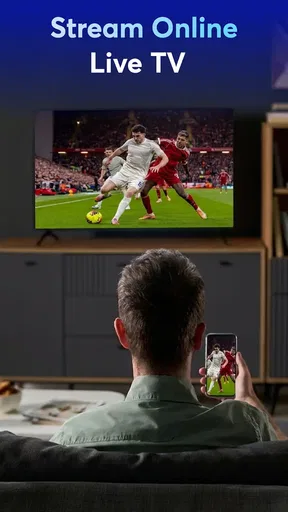
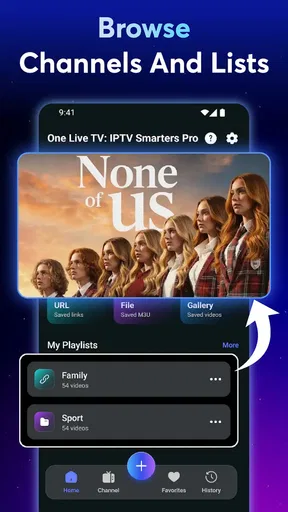
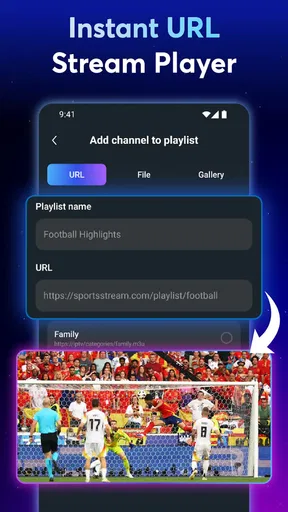
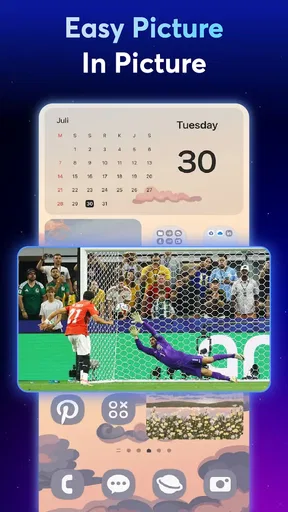
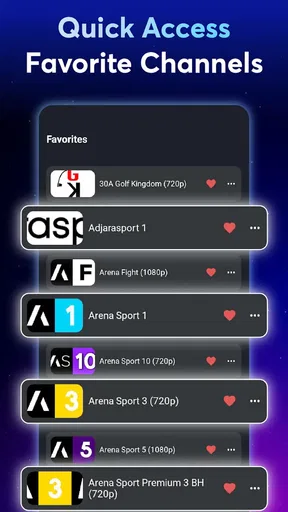
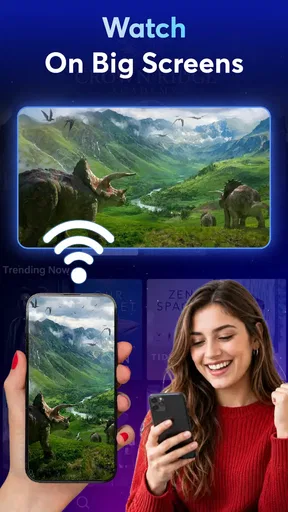
Our Review of One Live TV: IPTV Smarters Pro
 Analysis by Appyee
One Live TV: IPTV Smarters Pro is a free video player and editor app from Theme Inc that focuses on one straightforward job: bringing live television and IPTV channel streams together in a mobile viewing experience. I approached it less like a replacement for every streaming service and more like a practical front end for people who already use IPTV and want a convenient way to watch it from a phone or tablet.
The central promise is simple, but its usefulness depends heavily on the quality and organization of the IPTV service connected to it. The app itself is the viewing tool; it is not a television network and does not magically create channels. That distinction matters before installing it. If you already have legitimate IPTV access, this app may give you a cleaner place to watch. If you expect it to provide a complete catalog on its own, you may find the experience less satisfying.
Live TV viewing is the feature that defines the experience
The capability I noticed most is the emphasis on live viewing rather than on editing clips, creating short videos, or managing a personal media library. The app’s store summary presents it as a way to watch live TV and stream IPTV channels, so the most sensible way to judge it is by how useful it feels during ordinary channel watching.
That focus can be valuable because live television has a different rhythm from on-demand video. When I want to follow a news broadcast, a live event, or a program that is already in progress, I do not necessarily want to search through several separate services. A dedicated IPTV player can act as a single viewing point, provided the channel source is compatible and reliable.
I also like the fact that the app is free to install. That lowers the barrier for someone who wants to test a new player without committing to another subscription immediately. Still, free installation should not be confused with free access to every channel. The viewing result is tied to the IPTV source a user brings to the app, and that is where much of the real variation will come from.
In my view, the strongest reason to try One Live TV: IPTV Smarters Pro is convenience. It is aimed at reducing the friction between having an IPTV service and actually watching it on a mobile device. The app makes the most sense when your goal is quick access to live streams, not a broad entertainment platform with original programming, extensive recommendations, or a large on-demand ecosystem.
What the app changes for a regular viewer
The practical benefit is having a viewing tool that is centered on channel streams. Instead of treating live television as an afterthought, the app puts that use case first. For someone who watches television in short periods throughout the day, that can make the phone feel more useful as a secondary screen.
A realistic example would be a commuter who checks a live news channel before leaving home, then continues watching from a tablet during a lunch break. The value is not that the app transforms the broadcast itself. The value is that the viewer has a familiar place to open when the priority is live programming rather than browsing a large catalog.
There is also a useful distinction between this type of player and a standard video app. Ordinary video platforms are built around recorded clips, recommendations, and search. One Live TV: IPTV Smarters Pro is better suited to a person who already knows which live channels they want and wants the player to stay focused on that activity.
How I would approach setup and everyday use
I would begin by checking the IPTV service details before blaming the app for a channel problem. A stream that fails, buffers, or disappears may be affected by the source, the network, or the provider’s organization. Keeping that in mind prevents a common mistake: assuming that every playback issue comes from the player.
Once the service is ready, I would organize my viewing around the channels I use most often. This is one of the more useful habits with any IPTV player. A long channel list can become tiring if I have to scroll through it every time I want to watch something. Marking or grouping the channels I return to, where the available workflow supports it, makes the app more practical than simply loading a large list and leaving it untouched.
Another small but important tip is to test the app on the network where you will actually watch. A channel that works well on home Wi-Fi may behave differently on mobile data or a crowded public connection. Live video is less forgiving than a downloaded file because playback depends on a continuous stream. Testing early helps me understand whether the issue is the app, the connection, or the source.
I would also avoid judging the whole experience from one channel. IPTV lists can contain streams with different levels of stability and different video qualities. Testing several channels gives a more honest picture of how the app handles the service overall. This is a more useful check than repeatedly reopening one stream that may simply be having a temporary problem.
The best everyday scenario for this app
The strongest scenario is a household or individual that already has a legitimate IPTV subscription and wants live channels available beyond the main television. Imagine someone preparing dinner while following a live broadcast on a tablet in the kitchen. They do not need a full smart-TV interface or a second hardware box; they need a player that can open the channels supplied by their service.
It can also suit travelers who want to use a familiar IPTV setup on a compatible mobile device. I would still be careful about network conditions and account rules, but the basic appeal is clear: live viewing becomes portable instead of being tied to one room.
For a family, the app may be useful as a secondary screen rather than the central television solution. One person can watch a live channel on a phone while another uses the main display for something else. That is a modest benefit, but it reflects how this kind of app fits into real routines: it adds flexibility rather than replacing every viewing method.
The app is less compelling for someone who mainly watches films and series on demand. In that situation, a service with a polished catalog, profiles, recommendations, downloads, and resume tracking may be a better match. One Live TV: IPTV Smarters Pro earns its place when live channels are the priority.
Where the experience can become frustrating
The biggest trade-off is that the player cannot control the quality of the stream it receives. If the IPTV source has interruptions, outdated entries, or inconsistent channel information, the app may feel unreliable even when the underlying problem is outside the player. This is why I would treat the app and the IPTV service as two parts of the same experience.
Large channel collections can also create clutter. More channels do not automatically mean easier viewing. If I rarely use most of the list, searching or scrolling can slow down the simple act of finding a favorite broadcast. My practical solution would be to keep a small personal selection and treat the full list as a secondary reference rather than the default starting point.
Live streaming also requires more patience than ordinary recorded playback. A brief network dip can interrupt the viewing flow, and mobile data use may become a consideration during long sessions. I would use a stable connection for extended viewing and reserve mobile data for shorter checks unless I already know the network performs well.
Another limitation is the app’s narrow purpose. The store places it in the video players and editors category, but its appeal is clearly on the player side. I would not choose it expecting a complete editing suite or a sophisticated media-management system. Its identity is much closer to a live IPTV viewing tool than to an all-purpose video workstation.
There is also a learning curve for people who have never used IPTV. The app may be easy to open, but understanding the relationship between the player, the channel list, and the service supplying the streams still takes a little attention. A first-time user should be prepared to check their provider’s instructions and keep the source details organized rather than expecting a one-tap television service.
How it compares with common alternatives
Compared with a normal streaming service, One Live TV: IPTV Smarters Pro is more flexible for users who already have an IPTV source, but it is less self-contained. A conventional service usually supplies the content, interface, search tools, and account system in one package. This app is more dependent on the source the user connects, which can be an advantage for experienced IPTV viewers and a complication for beginners.
Compared with watching through a provider’s own application, the choice depends on what matters most. A provider app may offer tighter integration and clearer support for that specific service. A separate player can be more convenient when a viewer wants one familiar tool for IPTV viewing across compatible sources. I would favor the provider’s app when official support and service-specific features are the priority, and this player when a simple central viewing tool is more useful.
Compared with a basic media player, the live-TV focus is the important difference. A general player may handle local files or individual streams well, but it may not feel designed around the routine of browsing channels. One Live TV: IPTV Smarters Pro is the more natural choice for someone whose main activity is moving between live broadcasts.
That flexibility comes with responsibility. I would use only lawful IPTV services and content. The app’s role is playback; it does not change the rights attached to a channel or stream. That is an important practical boundary for anyone comparing it with official television applications.
Who gains the most from the focused design
The best audience is an IPTV user who wants a free mobile player for live channels and is comfortable handling the service connection themselves. The app is also a reasonable option for someone who wants a secondary screen at home, especially when the main television is occupied.
It may suit viewers who prefer direct access over recommendation-heavy interfaces. If I already know what I want to watch, a channel-focused tool can feel faster than opening a large entertainment app and navigating through unrelated content. That directness is one of the app’s most practical strengths.
On the other hand, I would suggest skipping it if you want a fully managed television subscription with guaranteed channel availability, unified customer support, and a polished on-demand library. I would also look elsewhere if your main interest is recording programs, editing video, or building a detailed personal media archive. Those needs go beyond the app’s central purpose.
Device compatibility is fairly approachable: the app requires Android 7.0 or later, so users on older systems should check their device before planning around it. The current release is version 1.0.1, which makes it sensible to keep expectations practical and pay attention to how the app behaves on the particular device and IPTV source being used.
What the app’s scale and pricing suggest
One Live TV: IPTV Smarters Pro has passed ten thousand installs, and it is available free of charge. I see that combination as an invitation to test rather than a reason to assume it will match the maturity of long-established television platforms. A free trial on your own device and network is the fairest way to decide whether its workflow suits you.
The Everyone content rating also makes it broadly approachable from an age-classification standpoint. That does not replace sensible supervision of the channels supplied through an IPTV service, but it does make the app itself feel accessible for general household use.
The developer is Theme Inc, and the app’s current identity is quite focused: a live IPTV player rather than a broad entertainment brand. That focus can be reassuring when I want a tool with one clear job. It also means I would evaluate it by playback convenience and day-to-day reliability, not by expecting a huge ecosystem around it.
My final take after looking at the real use case
I would recommend One Live TV: IPTV Smarters Pro to a friend only after asking one question: do you already have a legitimate IPTV source you want to watch on Android? If the answer is yes, the app offers a sensible, free way to put live channels in a dedicated mobile player. Its strength is not producing content; it is making an existing live-TV setup easier to carry and access.
The most useful approach is to keep a short favorite channel selection, test several streams on your usual connection, and separate source problems from player problems. Those habits make a noticeable difference because live IPTV depends on more than the app alone.
My opinion is positive but measured. This is a focused live-TV tool, not a complete replacement for every streaming service. For the right viewer, that narrow purpose is exactly why it works. For someone seeking on-demand entertainment, advanced editing, or a fully managed television package, another option will probably be more satisfying.
If your priority is portable access to IPTV channels and you are willing to manage the service behind them, One Live TV: IPTV Smarters Pro is worth trying. I would keep it as a practical secondary viewing option and judge it on the channels I actually use, the stability of my connection, and how quickly I can get from opening the app to watching live television.
Verdict
Strengths of One Live TV: IPTV Smarters Pro
- Clean interface makes channel browsing quick and straightforward.
- Supports multiple playlists for organizing different IPTV providers.
- Electronic program guide helps check upcoming shows and broadcasts.
- Works with live TV, movies, and series in one centralized app.
- Playback controls make pausing and resuming streams convenient.
Limitations of One Live TV: IPTV Smarters Pro
- The app does not provide TV channels or content by itself.
- Quality depends heavily on your IPTV provider and internet connection.
- Some advanced features may require a paid version or subscription.
- Playlist setup can feel confusing for users unfamiliar with IPTV links.
- Certain streams may lack subtitles, logos, or accurate program information.
Similar Picks in This Category
View All
Google TV
Google LLC3.9

iTunes
Apple4.7

YouTube
Google LLC3.8

MX Player
Amazon Mobile LLC4.2

CapCut - Video Editor
Bytedance Pte. Ltd.3.5

PLAYit-All in One Video Player
PLAYIT TECHNOLOGY PTE. LTD.4.5
Frequently Asked Questions
What is One Live TV: IPTV Smarters Pro and what does it do?
One Live TV: IPTV Smarters Pro is an IPTV player designed to organize and play television channels, movies, series, and other streaming content supplied through a compatible IPTV service. The application itself generally works as a media player rather than a content provider, so users normally need their own authorized subscription, playlist, or login details. Its available features can vary depending on the version, device, and IPTV provider.
Does One Live TV: IPTV Smarters Pro include live channels or free television content?
The app should not be confused with a traditional television service that automatically includes channels. In most cases, it does not provide its own programming, subscriptions, or streaming rights. You must add content from a legitimate IPTV provider using the supported login method, playlist, or portal information. Before downloading, confirm that your provider supports the app and that the channels and media you access are legally licensed in your region.
Is One Live TV: IPTV Smarters Pro available for Android and iOS devices?
Availability may depend on the exact developer, store listing, and region, since IPTV applications can appear under similar names or change distribution platforms. Check the official Google Play Store or Apple App Store listing carefully before installing, paying attention to the developer name, recent update date, permissions, and user reviews. Avoid unofficial APK files or modified versions, as they may create security, privacy, or account-related risks.
What information is required to set up the application?
Setup usually requires details provided by your IPTV service, such as an account username and password, an Xtream Codes-style login, an M3U playlist URL, or a portal address. The exact option depends on the app version and provider. You should obtain these details directly from a legitimate service and avoid entering credentials from unknown sources. If a playlist fails, verify its spelling, expiration date, device limit, and internet connection.
What should I do if channels buffer, fail to load, or show an error?
Playback problems are not always caused by the application. Start by checking whether other websites or streaming apps work correctly, then restart the app, router, and device. Confirm that your IPTV subscription is active and that the provider’s server is online. Reducing video quality may help on slower connections. Also check for app updates and ensure your device has sufficient storage and system compatibility. Persistent errors should be reported to the IPTV provider.
